At Timely, we are constantly improving our event software solutions. In this post, you will learn about our product update posted on June 1, 2022, which includes a new Linkedin integration, and improvements on event page display preferences and Stripe 3DS authentication.
1. Linkedin Integration
This past month, we added a new native integration to our event management software: Linkedin! Now, you will be able to publish your events on LinkedIn automatically, using our auto-share feature.
Just link your Timely account to your Linkedin personal profile to share events as posts. It is very easy to set up and share. It works similarly to our other native social media integrations with Facebook and Twitter.
If you have this feature in your plan, just go to the Social Media menu on your left hand navigation bar, and you will see the LinkedIn option. Click on the item and connect your LinkedIn account with Timely.
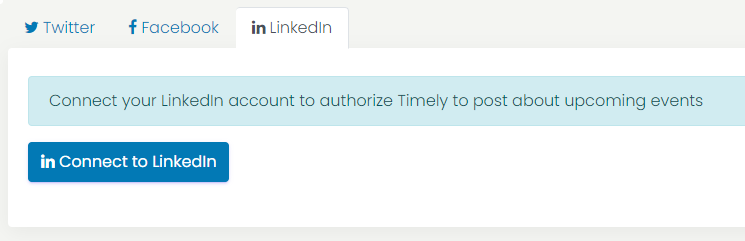
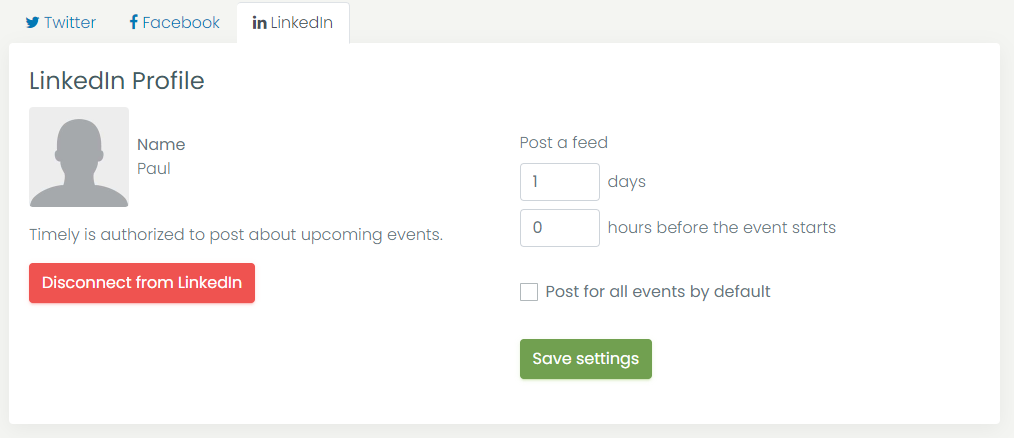
You will then be able to set up when you want our integration to post on Linkedin on your behalf. In addition, you can decide if the auto-share is applicable to all events by default. If not selected, you can also make such determination individually, when creating events with Timely software.
2. Event Page Display Preferences
We love to receive feedback from our clients, and improve our software accordingly. Now, you can choose how your event pages open on the browsers: as a pop-up or a new tab.
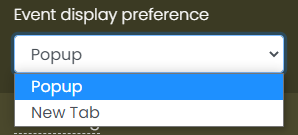
The pop-up is the default option. To change your settings, just log into your Timely account, then click on the Settings menu. On the right panel, expand the Misc Settings and find the Event display preference option. On the combo box you will be able to choose between Popup and New Tab to open the event pages on your public calendar.
3. Stripe 3DS Authentication
Here at Timely, we are always looking for better ways to keep everything secure and running smoothly for our clients. With this in mind, we've added 3D Secure (3DS) authentication for Stripe, for extra fraud protection.
This requires that customers complete an additional verification step with the card issuer when paying. The customer will be redirected to an authentication page on their bank’s website, and they enter a password associated with the card or a code sent to their phone. This security protocol is used throughout Europe, but it’s also used in countries outside of the EU, such as South Africa and India.
If you think you can benefit from this product update, and would like to have these new features added to your plan, please contact us. We will be happy to help you.
For more user guidance, please go to our Help Center. If you have any questions or need additional assistance, do not hesitate to contact us. Alternatively, you can open a support ticket from your Timely account’s dashboard.
Table of Contents